
School & Student Management
Build your school’s structure, manage classes and arms, and maintain organized student profiles — all from one clean dashboard.
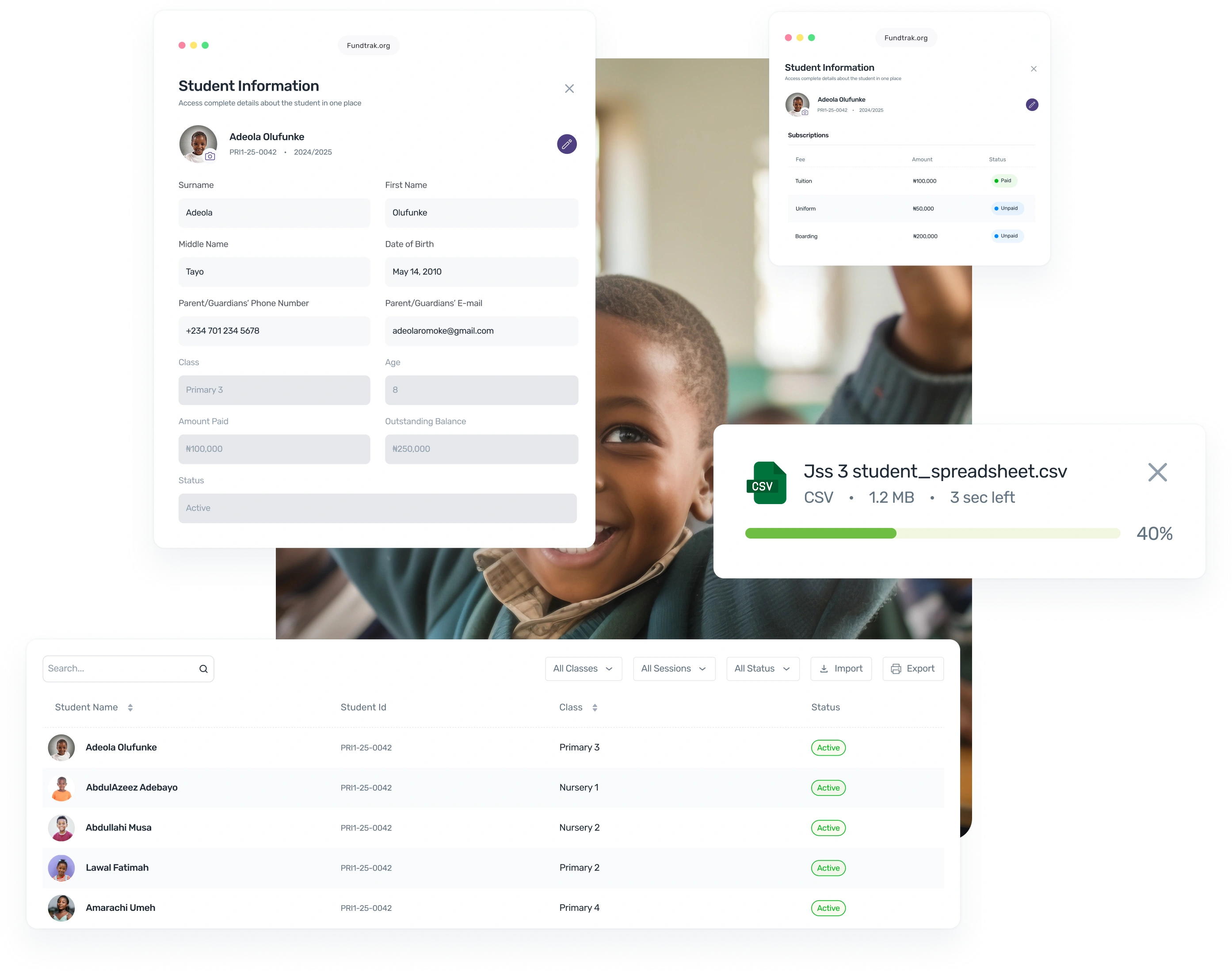
30,000+
Students managed on FundTrak
CSV
Bulk import hundreds in seconds
1 click
Class reassignment for all students
Core features
Organize your entire school structure and student records with clarity and accuracy.
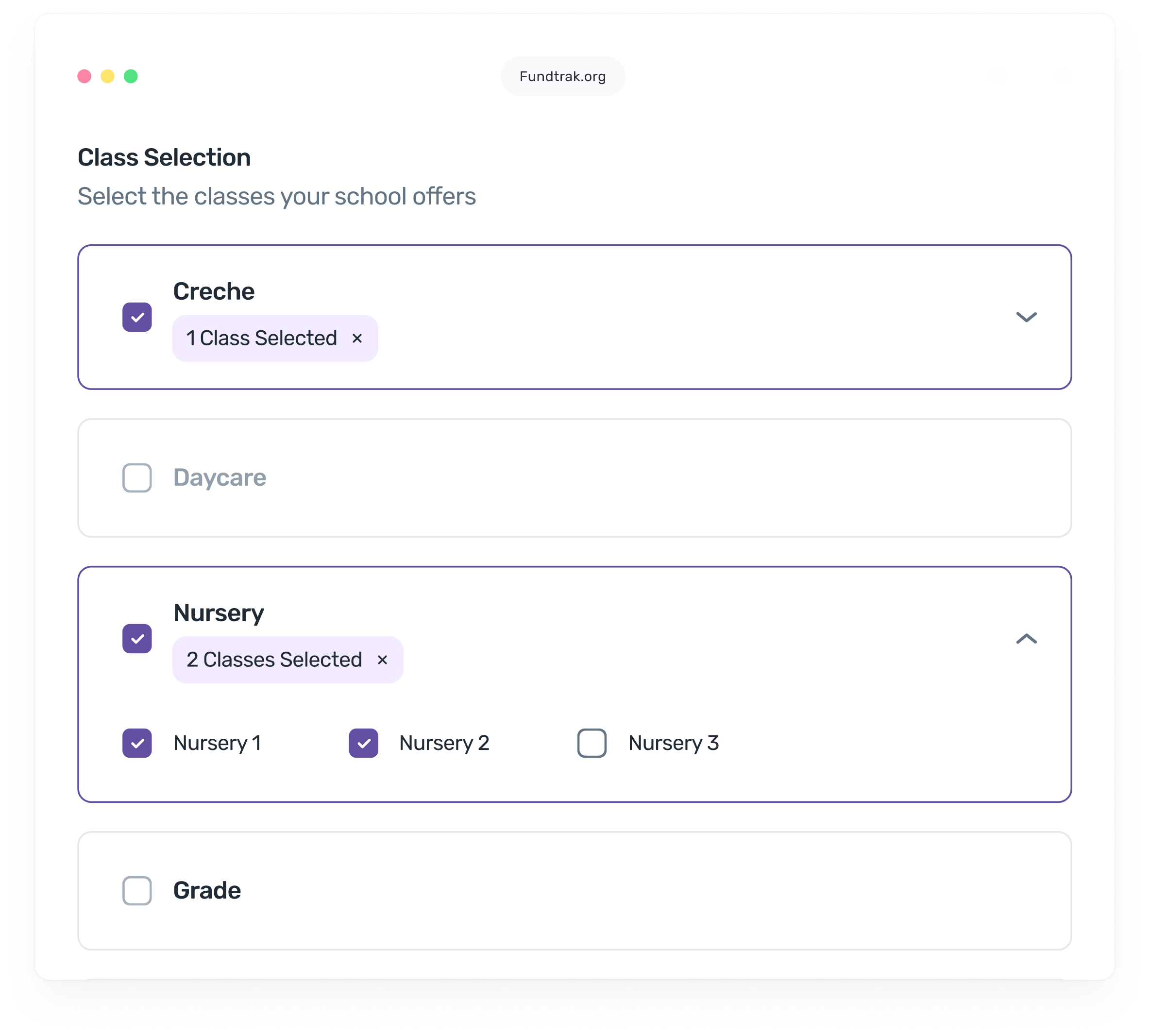
Define your school's structure — arms (Primary, JSS, SS), grades, and classes. Supports Nigerian 6-3-3-4 system, nursery levels, and custom configurations. Reassign or restructure at any time.
Complete records for every student — name, photo, guardian phone, email, class assignment, enrolment date, payment reference, and live fee balance. One profile, everything in it.
Import your entire student roster from a CSV file — hundreds of students in one upload. Export filtered student lists to Excel for reporting, board meetings, or external systems.
Set up academic years and terms with pre-built calendar templates for Nigerian, UK, and US school systems. Create future sessions in advance. Mark current term with one click.
How it works
Define your arms (Primary, JSS, SS), grades, and classes. FundTrak uses this structure everywhere — fees, payroll, reports. Choose from pre-built templates for Nigerian, UK, or US school systems, or configure your own.
Add students one by one or upload a CSV to import hundreds at once. Each student gets a profile with contact details, guardian phone, photo, class assignment, and a unique FundTrak payment reference.
Update class assignments, track enrolment status, add notes, and monitor fee balances — all from the student profile. Use bulk actions to make changes across groups at once. Export any filtered list to Excel.
"No more scattered spreadsheets — everything in one place."
Beyond the basics
Guardian contacts, notes, graduation tracking, payment references, notification preferences, and powerful search.
Store guardian phone numbers and email addresses on each student profile. FundTrak uses this for payment receipts, fee reminders, and attendance notifications.
Add internal notes to any student profile — payment disputes, special arrangements, behavioural notes. Notes are timestamped and linked to the staff member who created them.
When students graduate or leave, mark their status and archive the record. Archived students retain their full payment and enrolment history. Restore them at any time if they re-enrol.
Every student gets a unique payment reference. Parents include it in bank transfers for instant auto-matching. No more guessing who paid — the reference links the payment to the student.
Control how each student's guardian is contacted — SMS, email, or both. Enable or disable notifications per student. Set preferred channels so parents get updates the way they want.
Find any student instantly by name, class, arm, fee balance, or enrolment status. Filter the entire school roster and export the results. Search works across active and archived students.
Common questions
Yes. FundTrak supports CSV import — upload your student roster and the system creates profiles for each student with their name, class, guardian contact, and other details. You can import hundreds of students in a single upload.
FundTrak provides pre-built templates for Nigerian schools (6-3-3-4 system), UK Key Stages, and US semester systems. Choose a template or configure your own. Define arms (Primary, JSS, SS), then add classes under each arm. The structure flows through fees, reports, and payroll automatically.
You can archive the student with a graduation type (completed, transferred, withdrawn). The student's full payment history, enrolment records, and notes are preserved. If the student re-enrols later, you can restore their profile without losing any data.
Parents receive payment receipts and fee reminders via SMS, email, or WhatsApp — based on the notification preference set on the student's profile. Student ledgers can also be shared directly via WhatsApp for full payment transparency.
Every student gets a unique FundTrak payment reference (FT-XXXXXX format). When a parent includes this reference in their bank transfer narration, the payment is auto-matched to the student instantly — no manual linking needed. It's optional but dramatically speeds up reconciliation.
Yes. Select multiple students and apply bulk actions — reassign classes, update fee subscriptions, or export records. No need to edit profiles one by one. Filter your student list first, then apply changes to the entire selection.
Set up classes, import students, and start managing records — no installation, no training required.