
Security & Permissions
Six named roles with 20+ granular permissions. Complete audit trails on every financial action. Two-factor authentication, transfer PINs, session management, and failed login monitoring — bank-grade security built for school finance.
6
Named roles with granular permissions
20+
Permission types across all resources
100%
Actions logged with full audit trail
Named roles
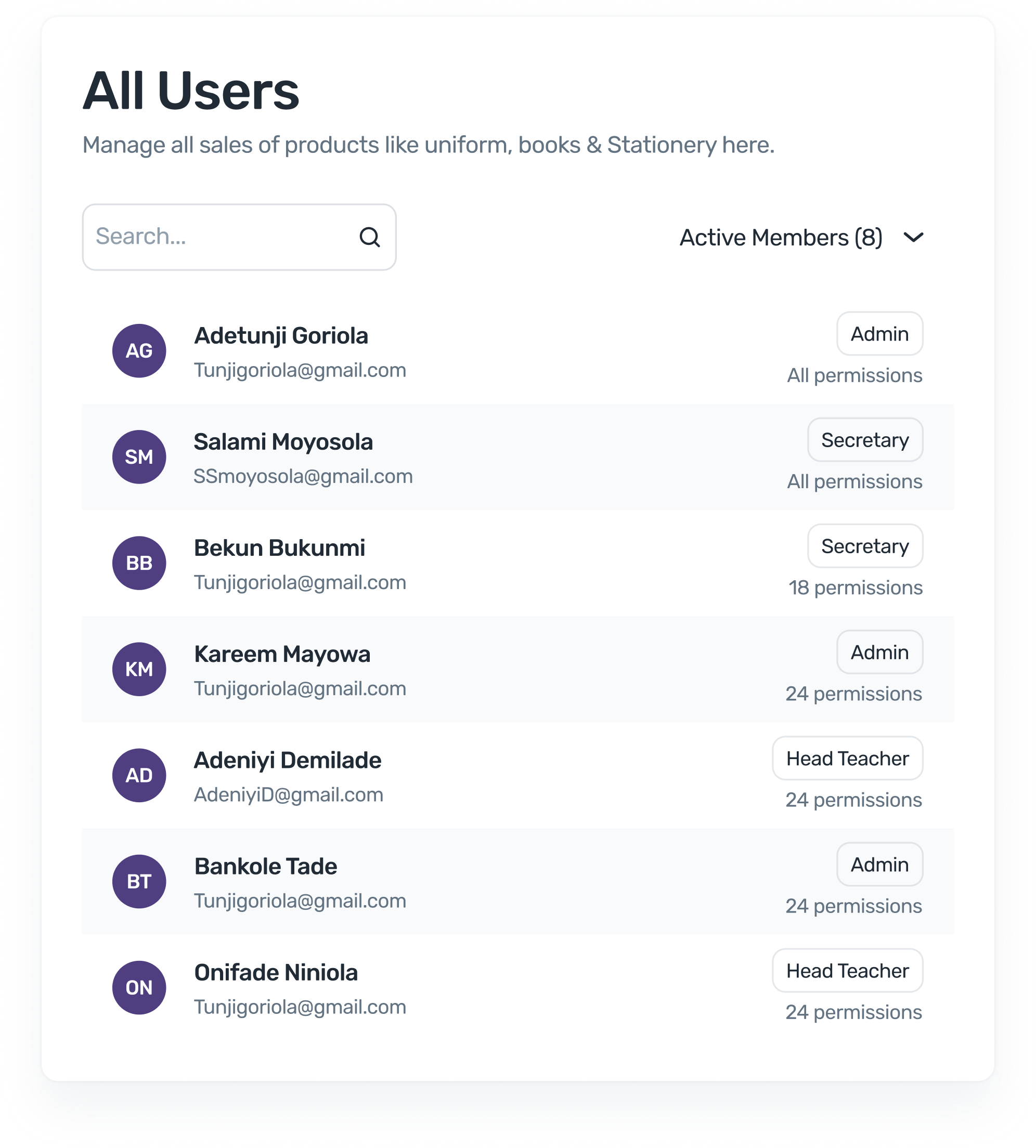
Every staff member gets a role that matches their job. No shared logins. No accidental access to sensitive data. Each role has a predefined set of permissions that you can customise further.
Full access to all school features — fees, payroll, reports, settings, and user management. The school owner or principal.
Fee management, payment linking, debt tracking, reports, and expenditure. Cannot manage users or change school settings.
Student management, class assignments, and notifications. Cannot access financial reports or approve transfers.
NFC scanning, attendance logging, and student verification. Cannot access financial data or student ledgers.
Tuckshop products, stock management, and POS transactions. Cannot access school fees or payroll.
Broad access to academic and student management. Configurable permissions for financial features based on school policy.
Granular Permissions
FundTrak doesn't just limit pages — it limits actions. A bursar might view transactions but not approve them. A secretary might create students but not export financial reports. Every permission is a deliberate decision, not a default.
Beyond access control
Audit trails, 2FA, transfer PINs, session management, failed login detection, and a security overview dashboard — every layer of protection your school's financial data needs.
Every financial action — payment linking, transfer approval, fee assignment, bank account changes — is logged with who did it, what changed, when, their IP address, and device. Four audit log types cover admin actions, bank accounts, transfers, and school configurations.
Enable 2FA for any user account. School owners can force 2FA for all staff. Check 2FA status across the team from the security dashboard. Adds a second verification step beyond passwords.
A separate 4-digit PIN required to approve outgoing transfers and expenditure — independent from the login password. Hashed storage, failed attempt lockout, and PIN recovery flow.
View all active login sessions across devices. Terminate individual sessions or log out all devices at once. Track login history with timestamps, IP addresses, and device info.
Track failed login attempts with IP and device details. Detect suspicious activity patterns. Security alerts triggered on repeated failures. Protect against brute-force attacks.
One view showing 2FA adoption, active sessions, recent logins, security alerts, password policy compliance, and suspicious activity — so school owners know their data is protected.
Role-based access, complete audit trails, and 2FA — set up in minutes, no security expertise required.