
School Expenditure Management
Create transfer requests, tag every expense by category, require admin approval before anything moves, and maintain a complete audit trail. No unclassified spending. No unauthorized transfers.

100%
Transfers tagged by category
0
Unclassified expenses
Full
Audit trail on every transfer
Expense Tagging
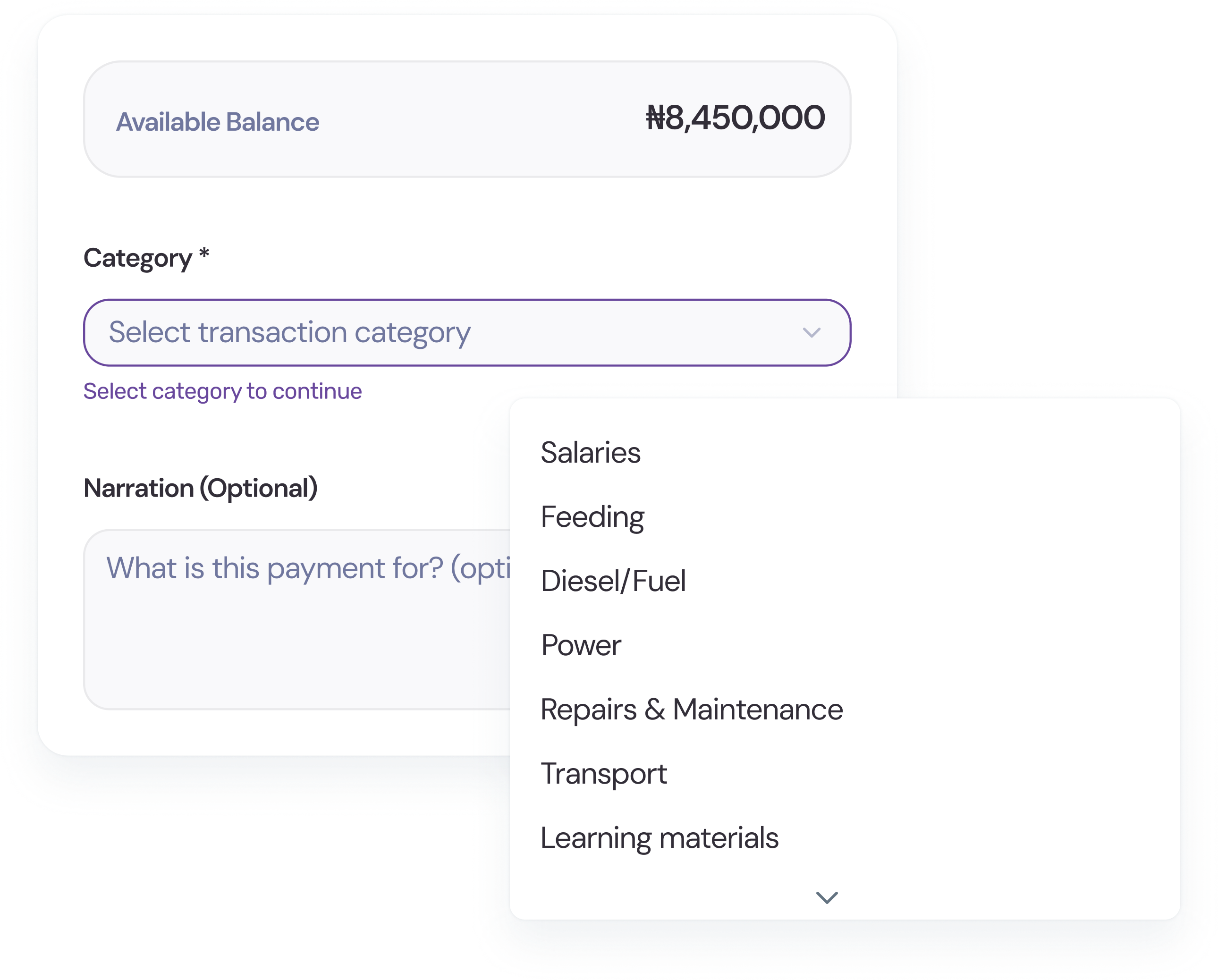
Before any transfer can be processed, a category must be selected. Every naira that goes out is tagged — Salaries, Feeding, Diesel, Power, Repairs, Transport, or a custom category your school defines. At the end of the term, you know exactly where your money went.
Admin Approval
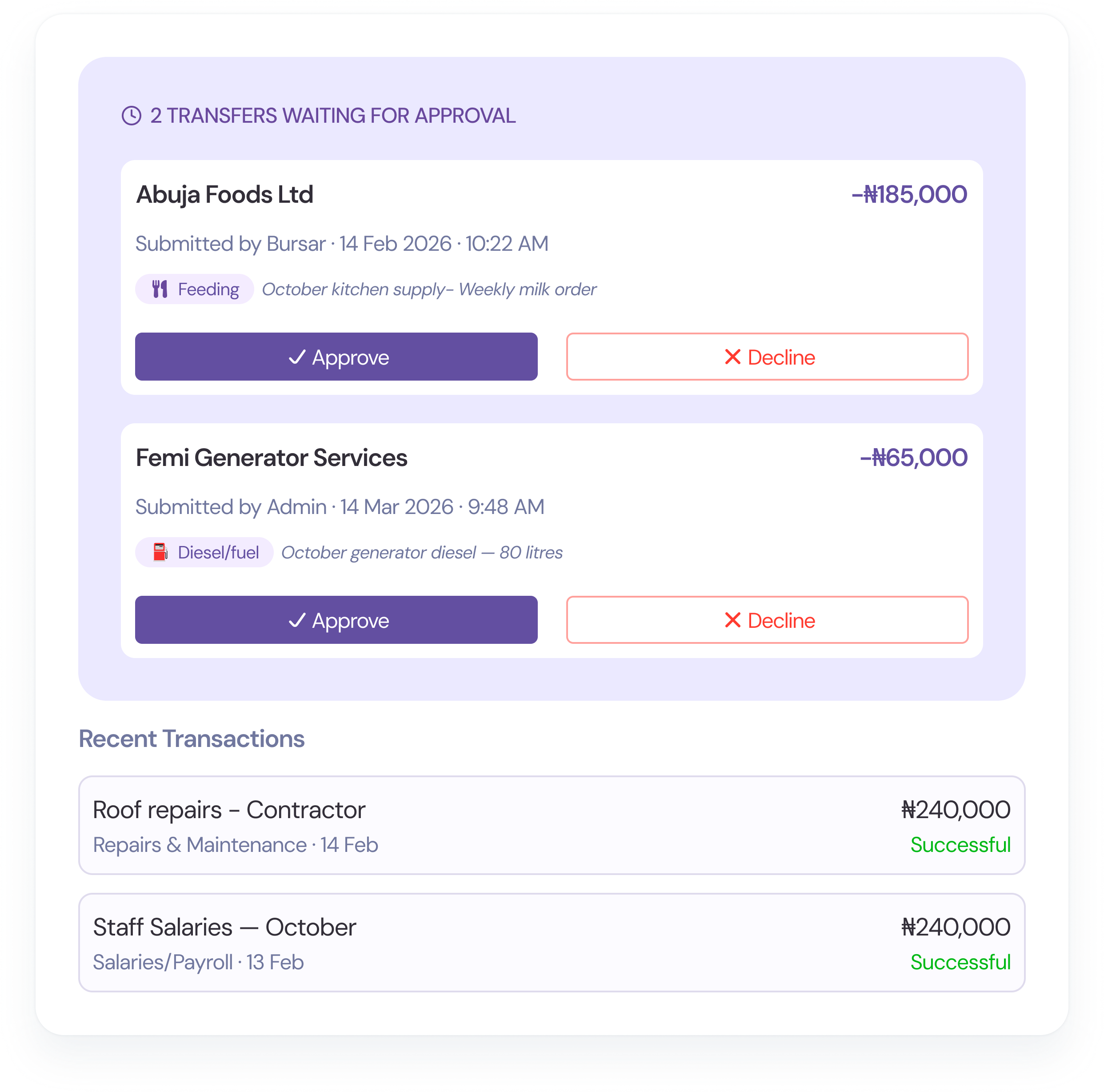
Every outgoing transfer sits in a pending queue until the admin approves it. The admin sees the recipient, amount, category, and narration before making a decision. Approve it and it moves. Decline it and it stops — with a record of why. A 4-digit transfer PIN adds an extra layer of authorization.
Transaction History
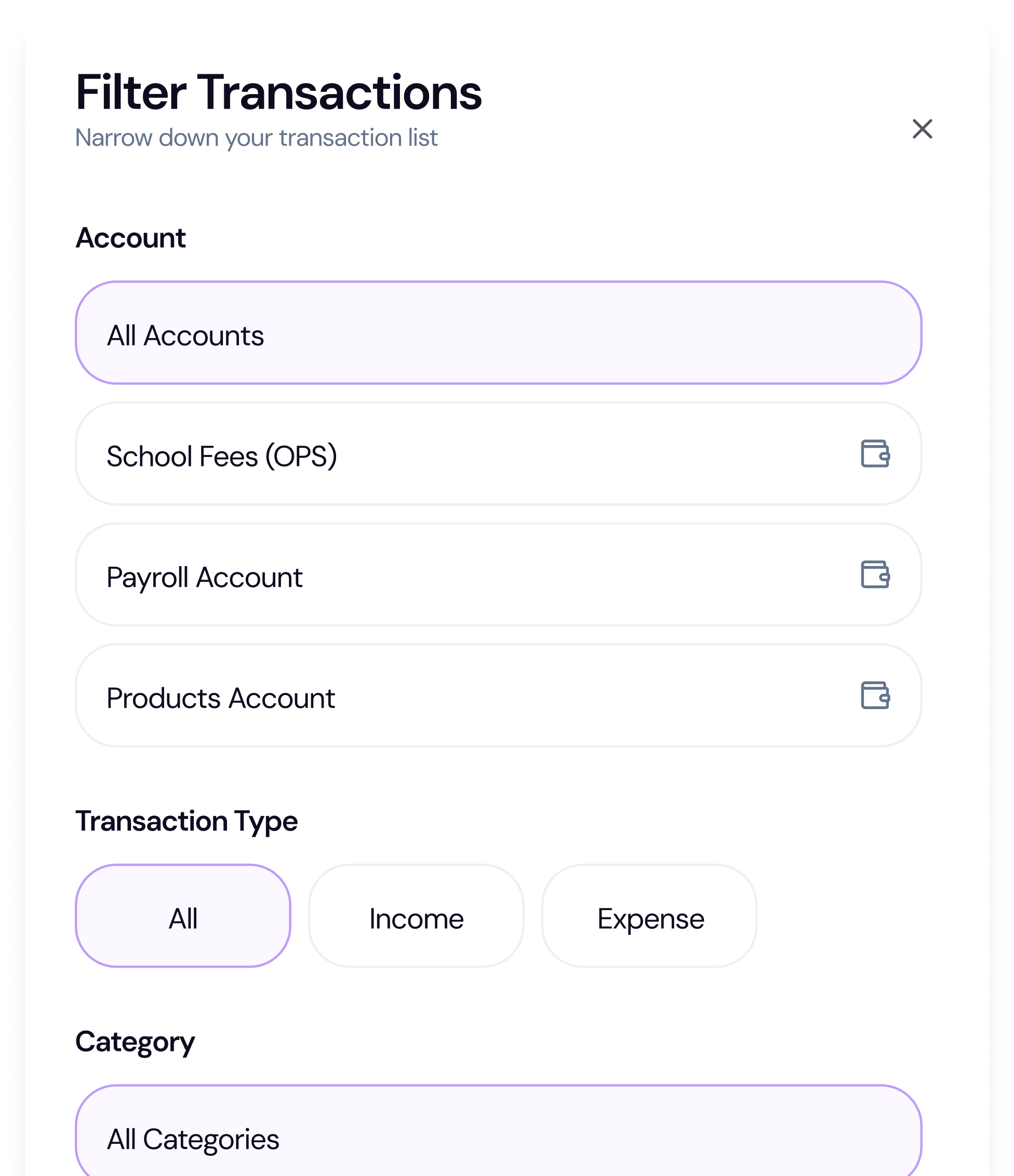
Every transfer — whether approved, declined, or still pending — is logged with full details. Search by recipient, filter by category or date range, and export the results for auditors, accountants, or school board meetings. Nothing is lost. Nothing is hidden.
Beyond expense tagging
Beneficiary management, transfer workflows, PIN authorization, bank verification, and full reporting — every tool your bursar needs.
Save vendor and recipient details once. The system tracks total amount transferred, transfer count, and last transfer date for each beneficiary. Quick transfers without a saved beneficiary are also supported — just enter the account number.
Every transfer follows a clear path: Draft → Pending Approval → Approved → Processing → Completed. Staff create requests, admins approve, and the system executes. Failed transfers can be retried without re-creating.
A 4-digit transfer PIN is required to approve any outgoing payment. PINs are hashed and stored securely. Failed attempts trigger lockout. Owner role can bypass approval for urgent situations.
Before sending money, FundTrak verifies the recipient's account name against their bank. No more sending to wrong accounts. Works with all major Nigerian banks via our payment gateway.
Move funds between your school's own bank accounts — from collection account to operations account, for example. Internal transfers are tracked separately and don't incur provider fees.
See totals by status (draft, pending, approved, completed, failed), broken down by transfer type and expense category. Export date-range reports for your accountant or school board.
Set up expense categories, require approvals, and track every transfer — from request to completion.