
School Notification System
FundTrak sends 30+ types of notifications across SMS, email, and WhatsApp — payment receipts, fee reminders, attendance alerts, payroll updates, and approval requests. Customise templates, set preferences per student, and track every delivery.
30+
Notification types
4
Delivery channels
Instant
Payment receipts to parents
What gets sent
Every important event in your school triggers the right notification to the right person, on the right channel — automatically.
Instant receipt sent to guardian via SMS and WhatsApp the moment a payment is confirmed. Includes student name, amount, and remaining balance.
Automated reminders for outstanding fees — sent on a schedule you control. Daily, weekly, or monthly. Includes amount owed and payment reference.
Escalating reminders for long-overdue fees. Separate from regular reminders — targeted at students with balances past a threshold you set.
Alert when a student's fee subscription is about to expire. Gives parents advance notice before the new term's fees are due.
WhatsApp + SMS sent to guardian within seconds of their child tapping in. Includes student name, timestamp, and direction.
Exit notification to guardian when the student taps out. Attendance record closes with both entry and exit timestamps.
Flagged when a student checks in after the configurable late threshold. Guardian notified. Staff see it on the live dashboard.
Outstanding balance shown on screen at every scan. Optional WhatsApp fee reminder sent to guardian on check-in — frequency configurable.
Staff notified when their salary has been processed and is being disbursed. Includes net amount and pay period.
Staff can pull their payslip as PDF via WhatsApp. Notification sent when payslip is ready for download.
Staff notified instantly when their salary advance request is approved or rejected. If approved, includes expected disbursement date.
Payment received, failed, or completed — staff and admins get real-time updates on every disbursement in the payroll run.
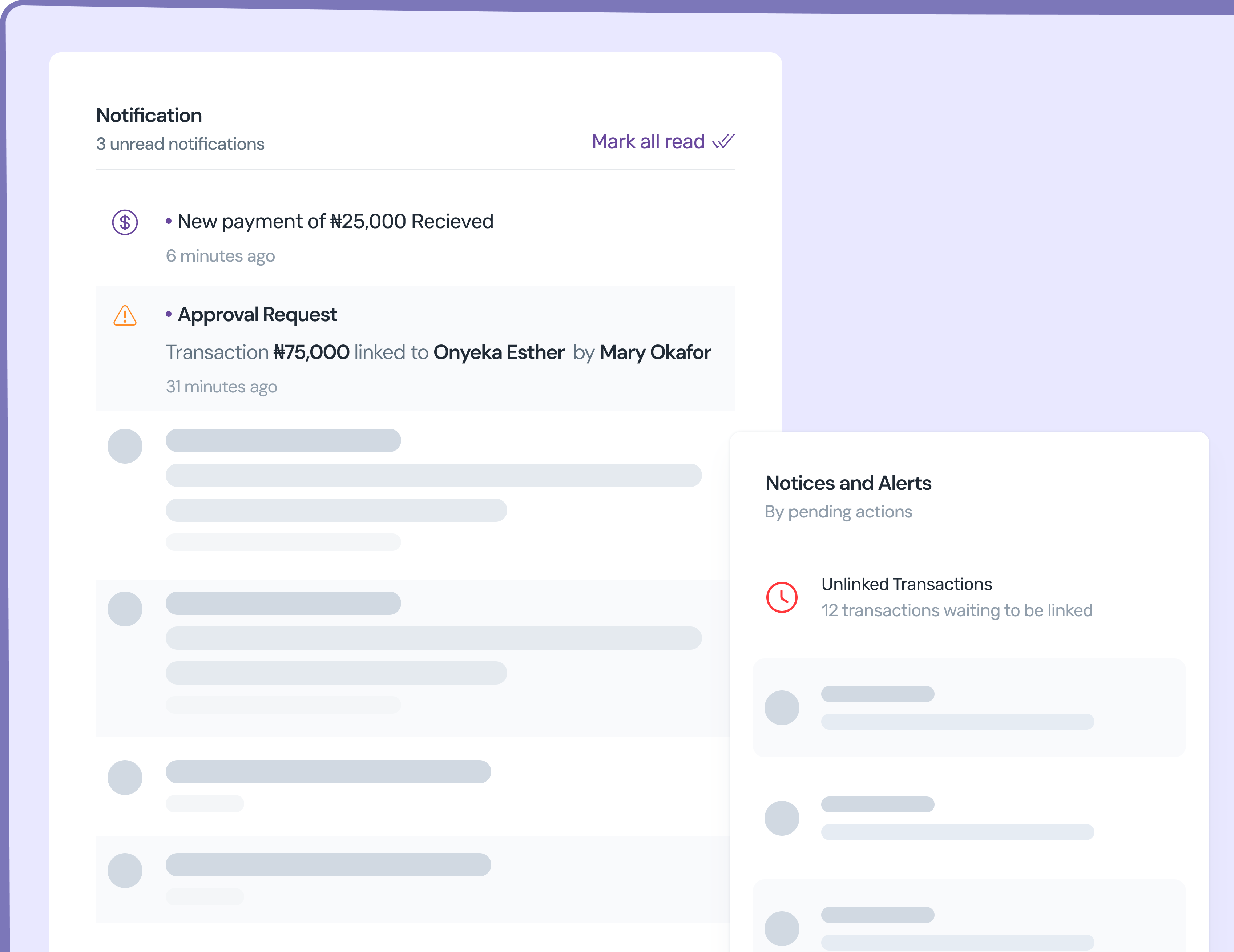
When a transaction or transfer needs approval, the designated approver gets an in-app notification and optional email/SMS alert.
Approved, rejected, completed, or failed — every expenditure transfer triggers a notification to the requesting staff member.
New transactions received, approved, or rejected — admins stay informed of every financial movement without checking the dashboard.
When a bulk CSV import finishes, the admin who initiated it gets notified with the count of students imported and any errors.
Delivery channels
Every notification reaches the right person on the channel they prefer — WhatsApp for parents, email for admins, SMS as backup, in-app for real-time.
The primary channel for parent-facing notifications. Payment receipts, fee reminders, attendance alerts, and payslips — delivered instantly to the guardian's WhatsApp. No app install needed on their end.
Backup channel that works even without internet. Sent simultaneously with WhatsApp for critical notifications like gate check-ins and payment confirmations. Rate-limited per student per day.
Detailed notifications with full context — payroll summaries, approval requests, settlement reports, and student import results. Used primarily for staff and admin communications.
Real-time notifications in the FundTrak dashboard — approval requests, transaction alerts, and system updates. Badge counter shows unread count. Mark as read or dismiss.
Control & configuration
Templates, preferences, delivery logs, rate limiting, and a real-time inbox — every tool to manage school communications.
Every notification type has an editable template with placeholders — {StudentName}, {Amount}, {BalanceRemaining}, {PaymentReference}. Customise the wording for your school's tone and language.
Set notification preferences per student — enable/disable SMS, choose preferred channel (WhatsApp or SMS), and control which notification types are sent. Parents only get what matters to them.
Every notification is logged with delivery status, timestamp, channel, and recipient. Failed deliveries can be retried. Admin dashboard shows delivery rates and failure reasons.
Staff choose how they want to be notified — email, SMS, WhatsApp, or in-app — for each notification type. Payroll admins get separate settings for disbursement events.
Configurable maximum SMS per student per day (default: 4). Prevents notification fatigue for parents with multiple children or frequent gate scans. WhatsApp has no limit.
Real-time notification feed inside the FundTrak dashboard. Unread badge counter on the bell icon. Mark as read, dismiss, or click through to the relevant transaction or approval.
Let FundTrak handle the receipts, reminders, and alerts while you focus on running your school.